

Looper, pitch shifter, and more. For musicians.
A free Chrome extension that adds practice tools to any YouTube video.
No account required · Works on any YouTube video
600+ users on the Chrome Web StoreSee it in action
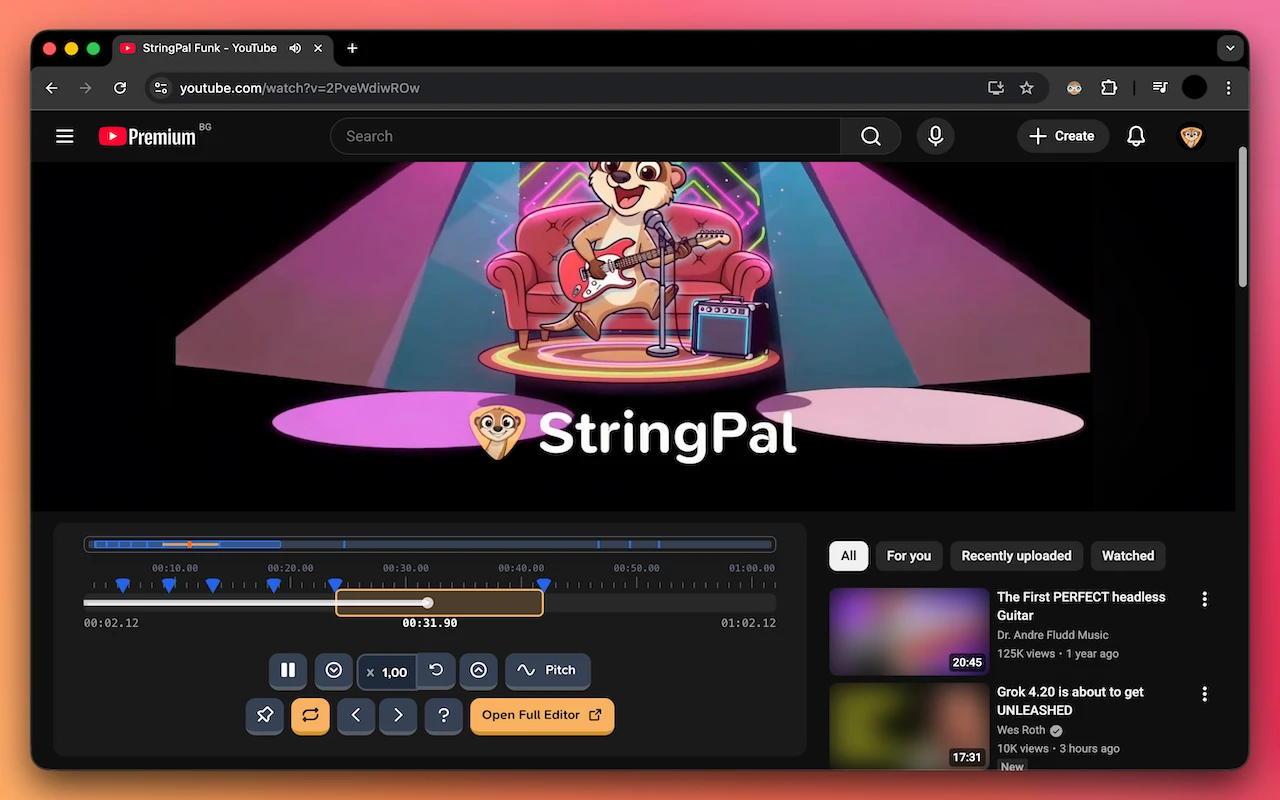
Loop sections, shift pitch, control speed – all without leaving YouTube
Get started in 30 seconds
- 1
Install the extension
Add StringPal to Chrome. It's free and takes one click.
- 2
Open any YouTube video
Go to a video you want to practice with.
- 3
Click "Looper"
Hit the Looper button next to the like button. Drop markers, loop, and practice.
A toolkit for musicians on YouTube
Marker-based A-B Looping
Drop markers, jump between sections, and loop any part of a video. The loop locks to your current section automatically.
Real-time Pitch Shifting
Transpose from −12 to +12 semitones in real-time. Fine-tune with cents. Match any song to your voice or instrument.
Independent Speed Control
Slow down from 0.25× to 2× without affecting pitch. Perfect for learning fast solos at your own pace.
Keyboard Shortcuts
Power user friendly. B for markers, L for loop, brackets to navigate. Keep your hands on your instrument.
Perfect for
Guitarists
Learning songs by ear, nailing solos, practicing tricky passages
Singers
Matching songs to your vocal range with pitch shifting
Language Learners
Slowing down native speech to catch every word
Anyone
Tired of rewinding YouTube videos 5 seconds at a time
Keyboard Shortcuts
Frequently Asked Questions
Help shape StringPal
I'm building this for musicians like you, and your feedback means everything. If you have a minute, a review helps other musicians find StringPal.
 Leave a Review
Join the Community
Got questions? Want to request features?
Join the StringPal Discord to chat with other musicians, get help, share feedback, and help shape what we build next.
Join the DiscordReady to practice smarter?
Join other musicians who've upgraded their YouTube practice sessions.
Add to Chrome – It's Free